 ActivMan
Everything you need to keep Active Directory in sync
From one-click templated accounts to full MIS-to-AD synchronisation, ActivMan replaces repetitive manual admin with automation you control.

Fast user creation
Create fully-configured users in seconds using templates — no manually setting groups, properties or home folders one by one.

Reliable & consistent
Templates enforce a standard structure for every account, so accounts are created correctly every time and mistakes are far less likely.

Scalable across your network
Manage multiple servers, networks, domains and sites from a single interface — no need to jump between consoles.

Mass manipulation
Bulk-update usernames, passwords, descriptions, profile paths and logon scripts across selected users, instantly.

Powerful templates
Define a template per role — receptionist, teacher, Year 9 student — covering username format, home directory, permissions, group membership and password rules. Works with manual creation, CSV import and MIS import alike.

Import users
Import from CSV with customisable field mapping and auto-applied templates, or connect the ActivMan client/server components for remote networks.
Auto import & MIS integration
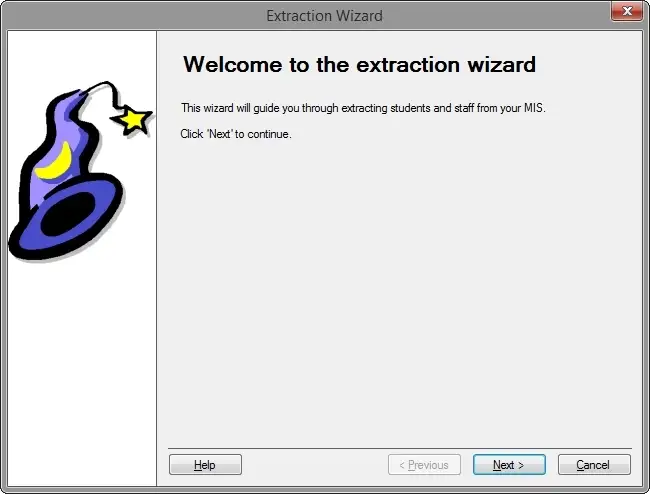
Automatically create new users and disable, delete or move leavers as your MIS changes — no manual intervention required. ActivMan connects directly to Arbor and SIMS (Bromcom in development), creating home folders, permissions, and teaching, registration, year and room-staff groups as it goes.

Actions & automation
Trigger unlimited custom "actions" — scripts, executables or batch files — from events like user creation. Common uses include mailbox provisioning and audit logging, but any workflow you can script, ActivMan can run automatically.
The full feature list
MIS & import
- Auto-import users from your MIS
- Full two-way sync between AD and MIS
- Test imports — preview results before they're applied
- Customisable generated usernames
- Extract teaching, registration and year groups from your MIS
- Auto-maintained "teachers of student" and "room staff" groups
- CSV import via templates
- Character replacement in name fields on import
- Ignore specific MIS people during import
Templates & bulk actions
- Unlimited templates, one per role or account type
- Template-based account creation
- Apply templates to existing users
- Automatic home directory and share creation, with permissions
- Automatic password generation, including word-list-based passwords
- Copy existing user accounts
- Mass-manipulate username, password, description, profile path and logon script
- Event-triggered custom actions and scripts
Multi-site & management
- Manage multiple servers, networks, domains and sites from one interface
- Single domain support across multiple sites, including moving accounts and data
- Create, edit and delete users and groups manually
- Add and remove group members
Standard AD functions
- Move users between organisational units
- Reset passwords
- Enable and disable accounts
- Full group properties management